
Embedded payment
Show Aera's payment form inside your own checkout page.
With the embedded payment page, Aera's payment form is shown inside your own checkout page. The shopper stays on your site, and the payment fields are served securely by Aera, so your PCI scope stays small.
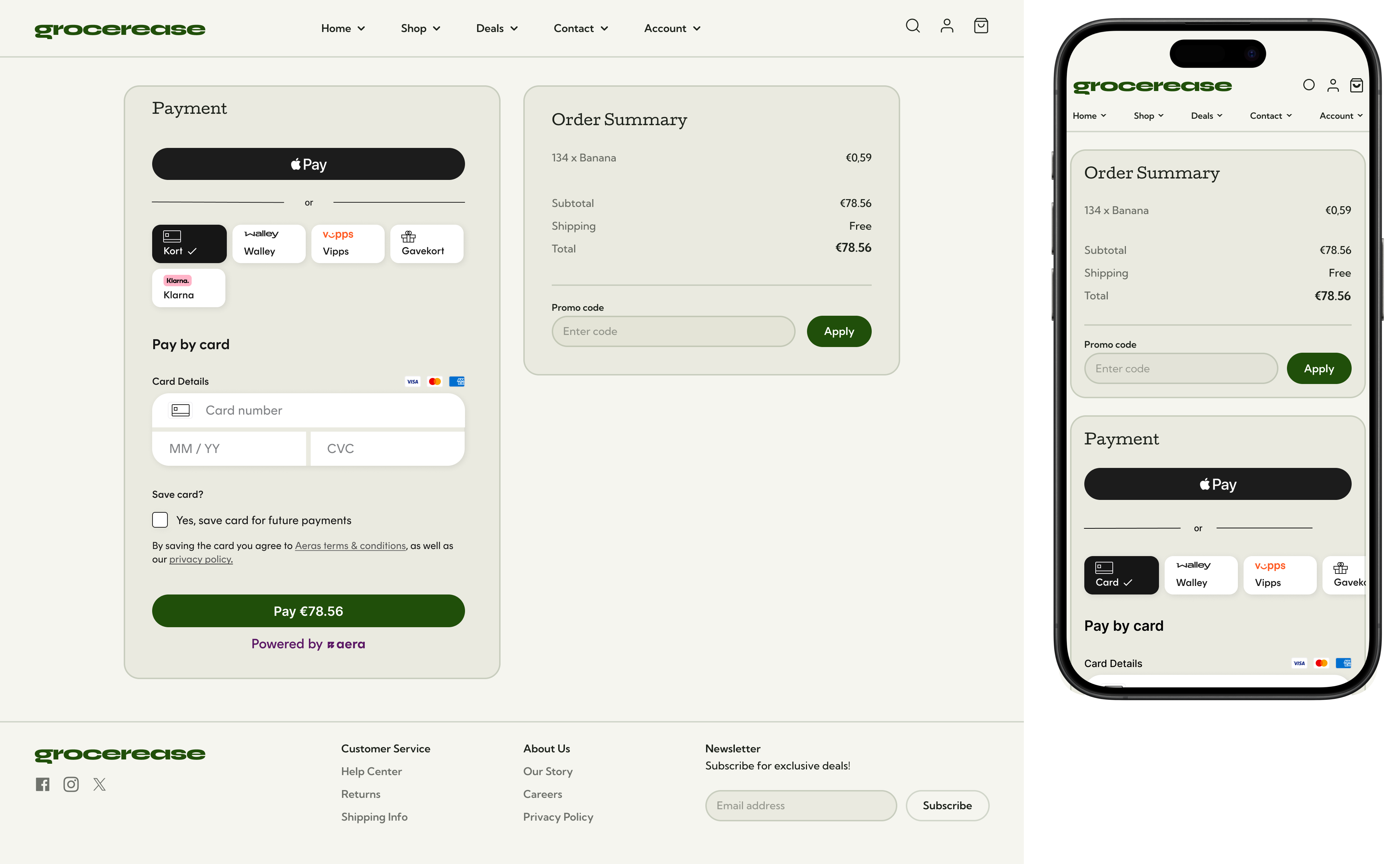
The embedded payment is thoughtfully optimized for desktop and mobile, here illustrated through the example merchant Grocerease:
How it works
- Your server creates a payment session with
merchantData.ui. - Your checkout page shows Aera's payment form.
- The shopper pays inside your page.
- If a step can't run inside your page, your page sends the shopper to it (see Steps that leave your page).
- Aera sends the shopper to your success, cancel or error URL.
- You confirm the result on your server. See Handle the payment result.
Step 1: Create a payment session with ui
uiCall Create payment session as for the hosted payment, and add ui to merchantData:
Example request with ui
{
  "merchantData": {
    "ui": {
      "mode": "EMBED",
      "origin": "https://shop.example.com"
    },
    "successRedirectUrl": "https://shop.example.com/order/1234/success",
    "cancelRedirectUrl": "https://shop.example.com/order/1234/cancel",
    "errorRedirectUrl": "https://shop.example.com/order/1234/error"
  },
  "transactionData": {
    "merchantReference": "order-1234",
    "amountDetails": { "amount": 10000, "currency": "NOK" }
  }
}| Field | Required | Description |
|---|---|---|
ui.mode | Yes, when you send ui | EMBED: show the form inside your page. Leave out ui to redirect to the hosted checkout page. |
ui.origin | Yes, when mode is EMBED | The origin of your checkout page: scheme and host, no path. For example https://shop.example.com. Aera uses it for security checks and for messages (postMessage) between the form and your page. |
Step 2: Show the form in your page
Show the payment form from the response inside your checkout page.
Steps that leave your page
Some payments need the shopper to do something that can't happen inside an embedded form, because of security restrictions or scheme rules:
- Strong Customer Authentication, such as 3-D Secure
- Approval in another app, such as a wallet or alternative payment method app
- Authentication steps required by the bank or card scheme
Then:
- Aera sends a
postMessageevent to your checkout page. - Your page listens for the event and sends the shopper (the whole browser window) to the page in the event.
- When the shopper is done, Aera sends the shopper to your success, cancel or error URL.
Step 3: Confirm the result
Treat the return to your site as a next step, not as proof of payment. Confirm the result on your server with a notification or Get payment status.
Security checklist
- Check that each
postMessageevent comes from Aera before you act on it. - Always confirm the payment on your server.
Updated 4 days ago