
Choose your integration architecture
We offer different integration architectures for our physical Terminals
Aera In-Store Payments supports multiple integration architectures to accommodate different store environments, operational needs, and technical setups.
This page provides an overview of the available architectures and helps you understand how payment terminals, POS systems, and backend services interact during checkout.
Choosing the right architecture is an important early step, as it defines how payments, loyalty lookup, and transaction handling are performed in-store.
Overview
In an in-store environment, the integration architecture defines where payment logic is executed and how systems communicate during a transaction.
Aera supports three primary integration architectures:
- Local communication
- Cloud-based integration
- Standalone terminal
Available soon
Each architecture offers different trade-offs in terms of performance, flexibility, and system responsibility.
Local communication architecture
In a local communication architecture, the payment terminal communicates directly with the POS system over a local connection.
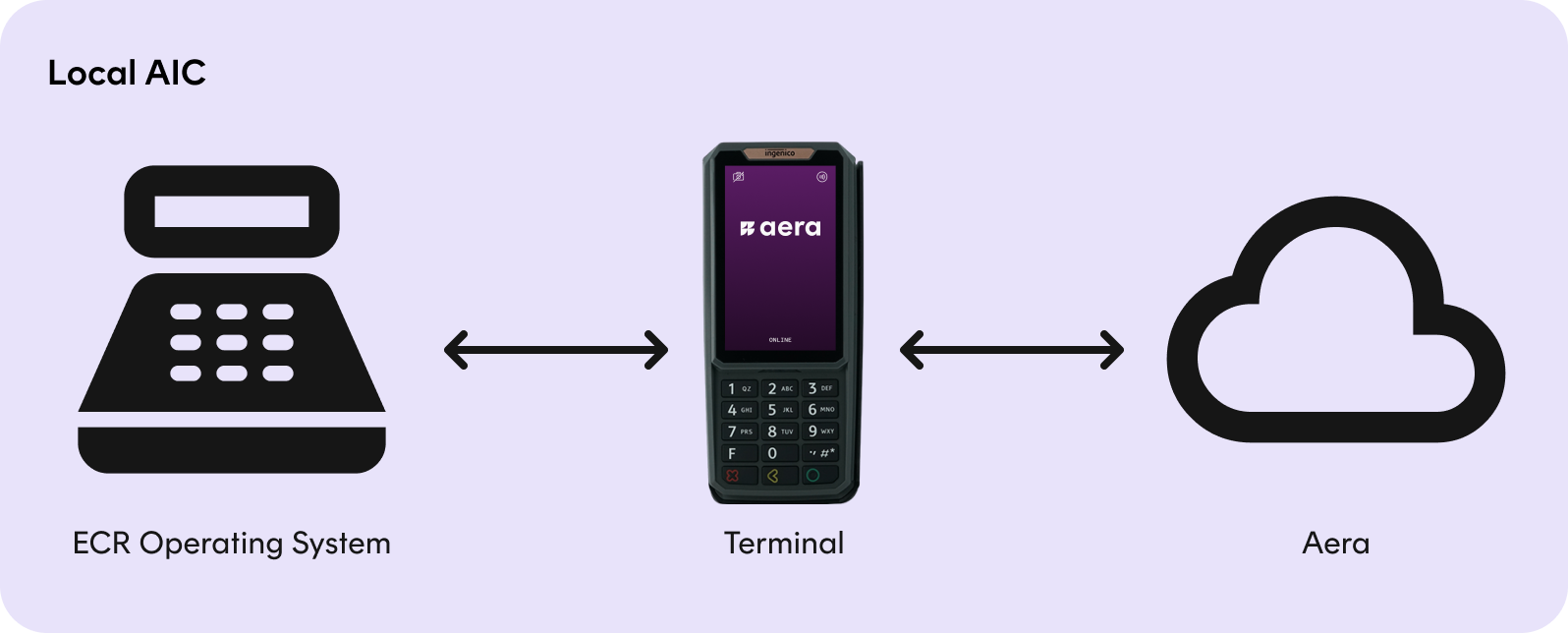
Typical characteristics of this architecture include:
- The POS initiates the payment request
- The terminal communicates with the POS locally (for example over LAN or USB)
- Transaction results are returned directly to the POS
- Minimal dependency on cloud connectivity during the checkout flow
This architecture is commonly used in traditional retail environments where the POS system controls the full checkout experience.
Recommended for:
- Fixed checkout counters
- Environments requiring low latency
- Stores with stable local network infrastructure
Cloud-based integration architecture
In a cloud-based integration architecture, the payment terminal communicates with backend services over the network.
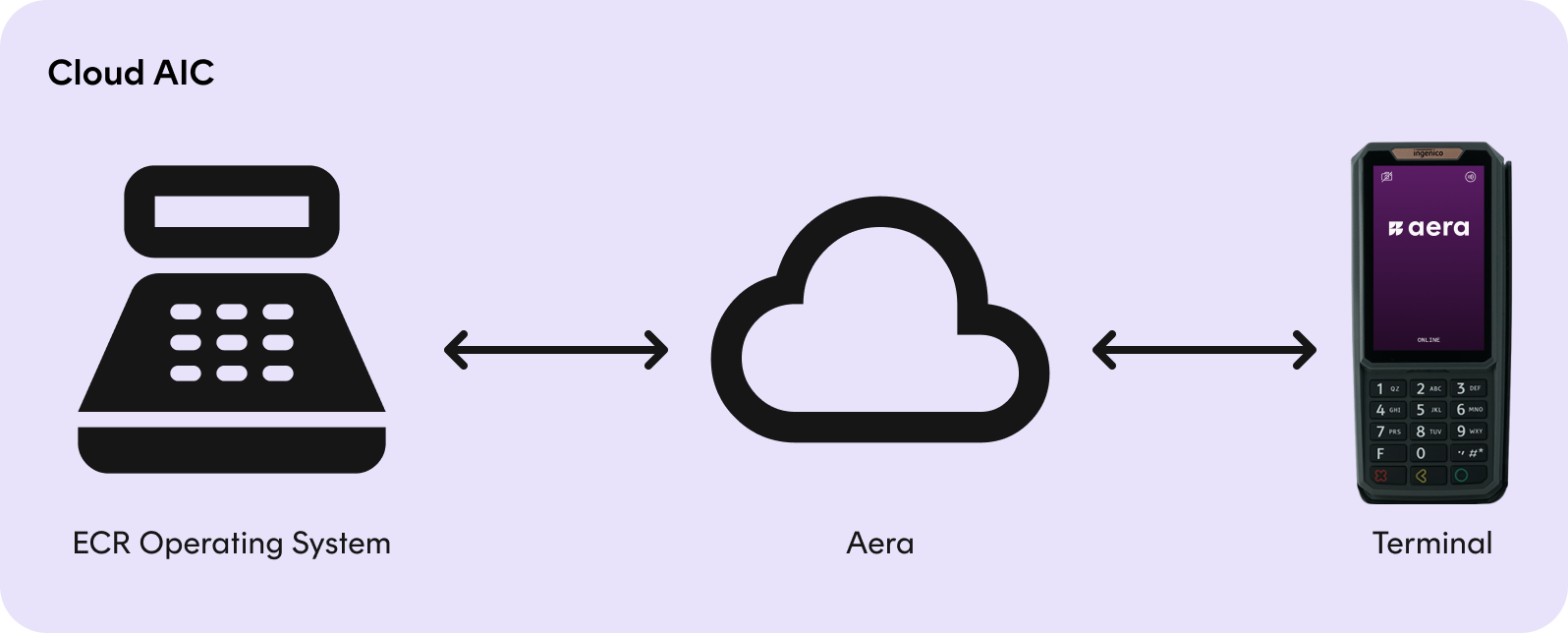
Typical characteristics of this architecture include:
- The terminal connects to cloud services for payment processing
- The POS may initiate the transaction, but does not require direct local communication with the terminal
- Centralized configuration, monitoring, and updates
- Scales well across multiple stores and locations
This architecture enables greater flexibility and centralized control, and is well suited for modern retail environments.
Recommended for:
- Environments requiring centralized management
Standalone terminal architecture
In a stand-alone architecture, the payment terminal operates independently of any POS system.
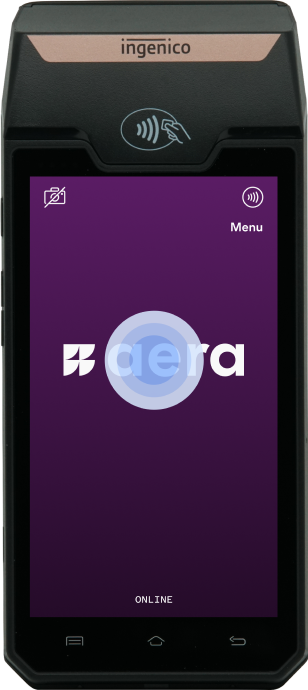
Typical characteristics of this architecture include:
- The terminal initiates and completes the payment flow on its own
- No direct POS integration is required
This architecture provides maximum flexibility and is often used in mobile or simplified store setups.
Recommended for:
- Mobile or assisted checkout scenarios
- Temporary or pop-up stores
- Environments without POS integration requirements
Choosing the right architecture
When selecting an integration architecture, consider the following factors:
- Store layout and checkout model
- POS capabilities and integration requirements
- Network connectivity and reliability
- Operational complexity and maintenance needs
- Future scalability and flexibility
Your Aera onboarding contact can help you evaluate these factors and choose the architecture that best fits your in-store setup.
What’s next?
Once you have selected an integration architecture, continue with:
These sections provide more detailed guidance.
Updated 13 days ago