
What we support online
Accept online payments with one API: Aera's hosted payment page, an embedded payment form, direct payments and recurring payments.
Early releaseOnline payments is in early development (MVP). This section may change.
Aera Online Payments lets you accept payments in your webshop or app and manage the whole payment lifecycle, from checkout through authorisation, capture and refund. You connect once, to the Online payments API, and offer cards, wallets and other payment methods through it.
Part of our unified commerce platform
Online payments run on the same payment platform as Aera's in-store payments. So you:
- keep the payment and customer experience consistent online and in-store, with the same payment lifecycle, shared stored cards and one transaction engine
- manage merchant configuration, payment methods and transactions in one place, the Aera portal
- get consolidated reporting, reconciliation and settlement for all channels, in reports or straight into your own systems with the Reporting API
- control captures and refunds centrally, and see online and in-store transactions and data insights together
Show the checkout your way
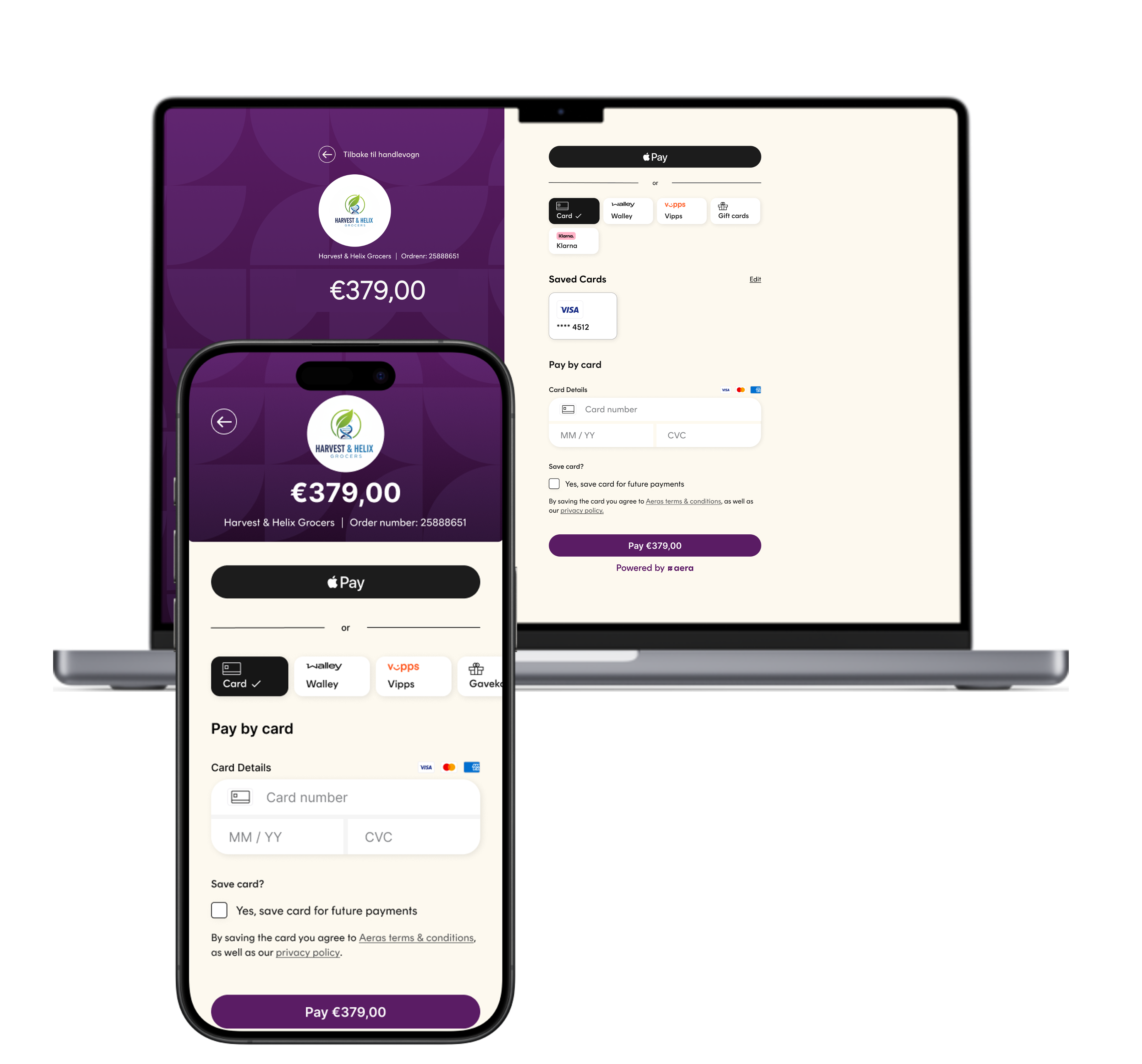
Redirect the shopper to Aera's payment page. Fastest to build, with your branding set in the Aera portal.
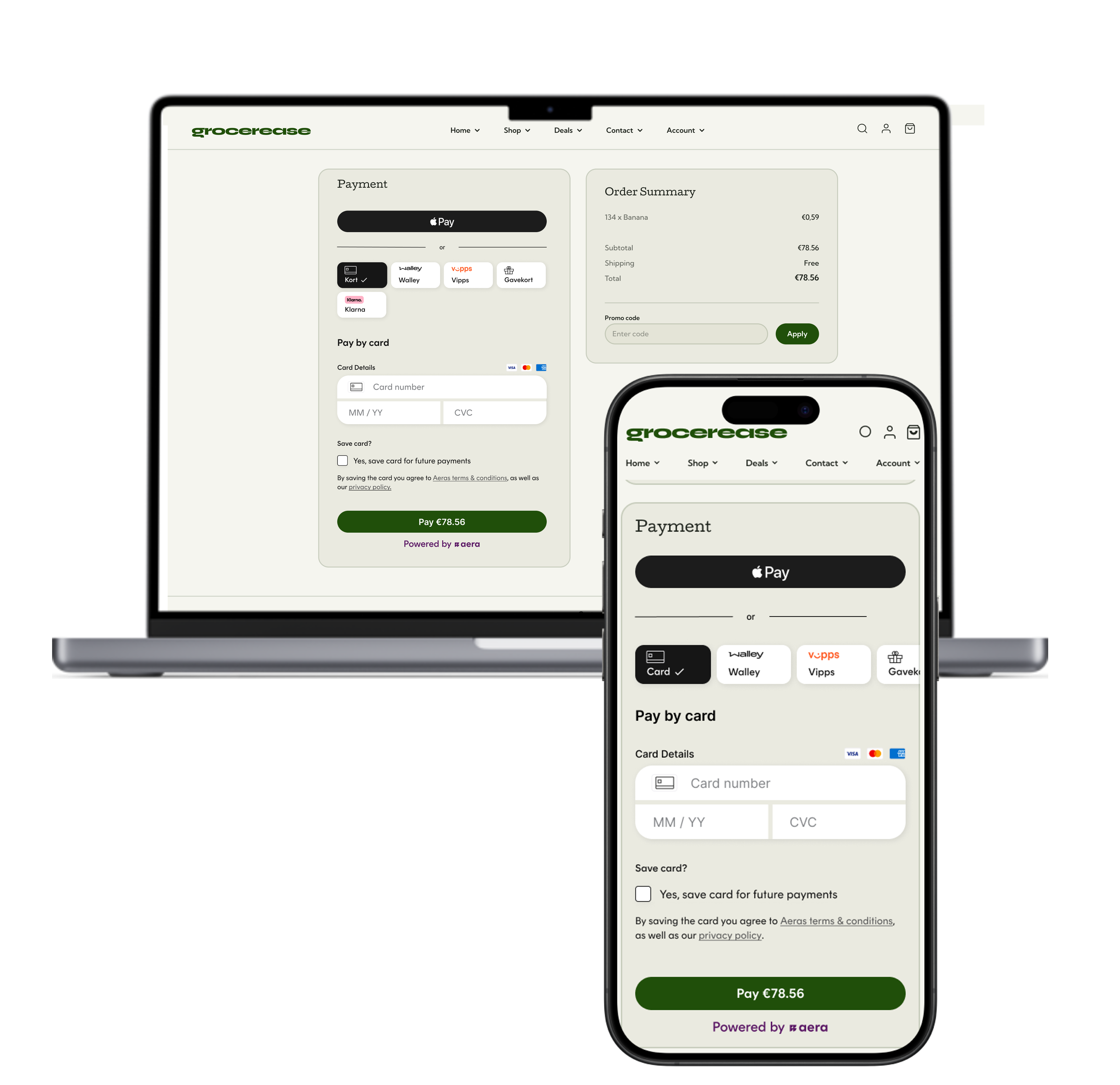
Show Aera's payment form inside your own checkout page. The shopper never leaves your site.
Both options keep card details away from your systems, so your PCI scope stays small. Not sure which fits? See Choose your integration. For one-click payments with a saved card, or your own Vipps or Apple Pay button, see Direct payments.
Smooth payment for optimal conversion rates
The different setups ensures an efficient checkout process and customizable appearance. Select and get to know different flows in the simulator below.
- 1ShopperClicks Go to payment
- 2Your server → AeraCreate payment session
- 3Your server → ShopperRedirect to paymentSessionUrl
- 4ShopperSees your shop on the page
- 5ShopperChooses a payment method
- 6ShopperTypes the card details
- 7ShopperTicks Save card
- 8ShopperPays and confirms with the bank
- 9Aera → ShopperRedirect to your success URL
- 10Aera → Your serverNotification, then Get payment status
Accept the payment methods shoppers use
Visa, Mastercard, American Express and Bancontact.
Cards stored on Apple devices, replaced by a secure token.
Shoppers in Norway approve the payment in the app.
Manage the whole payment lifecycle
Authorise at checkout and capture when you ship, or capture at once. Capture in several parts for split shipments for payment methods that allow it.
Release reserved money you won't capture, in full or in parts.
Return captured money to the shopper, in full or in several partial refunds.
Keep a reservation valid longer, or change its amount.
Which operations a payment method supports depends on the payment method, the acquirer and your setup. See Payment lifecycle.
Save cards and charge them later
Returning shoppers pay without typing their card details again.
Charge a saved card for subscriptions and other agreed payments.
Check that a card is valid with a zero-amount authorisation.
Built to be safe
An API key and an access token on every request.
Idempotency keys make sure a retry never charges twice.
Requests and responses are signed, so you know they come from Aera.
Amounts are sent in minor units, with standard formats: ISO 4217 currencies and ISO 3166 countries.
Get started
Credentials, access token, headers and your first test payment.
Hosted or embedded payment.
Capture, cancel, refund and various payment method setups.
Check your integration and switch to production.
Talk to usWant to know what Aera can do for your webshop? Email [email protected] or contact your Aera representative.
Updated about 8 hours ago