
Decommission a terminal
Take a terminal out of use, for example when a store closes, and send it back.
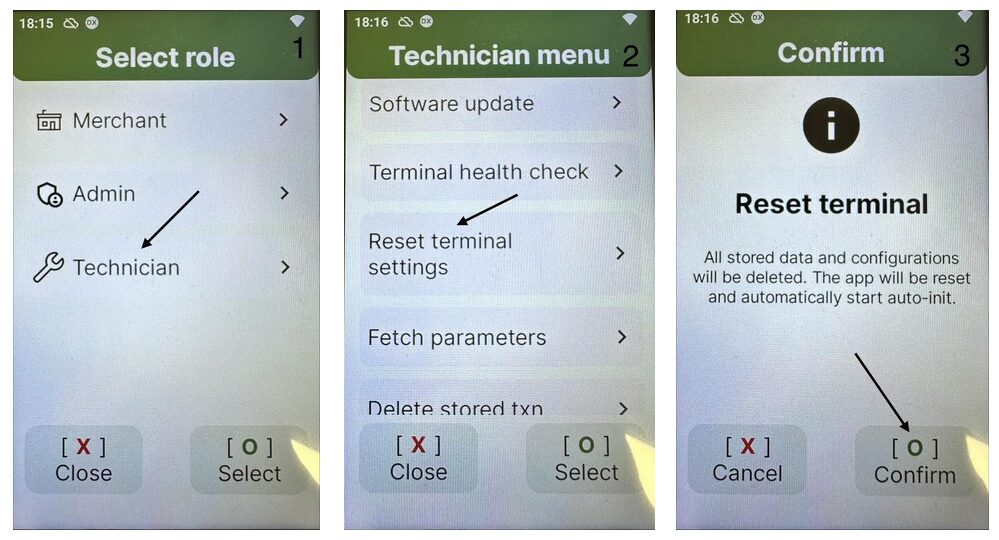
- Reset the terminal. In the Technician menu, select Reset terminal settings. Don't delete offline transactions: see Replace a terminal. You can disconnect the terminal when the screen shows Auto initialization.
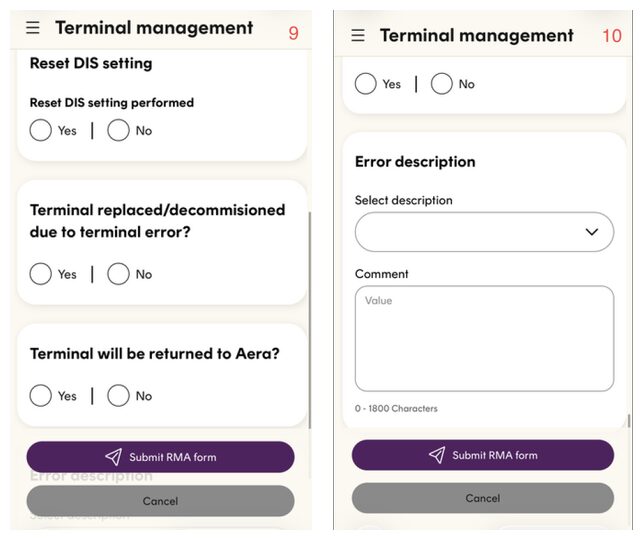
- Fill in a return form. In the Aera Portal, go to Terminal management › RMA forms › New RMA form. If nothing is wrong with the terminal, answer No to the question about errors.
- Delete or deactivate the terminal ID. Do what the Aera Portal tells you when you send the RMA form.
- Send the terminal back. It can be used again later.
See the screens
Updated 10 days ago
Did this page help you?