
Before you go on site
The access, apps and equipment you need before you install or service a terminal.
Your access
| You need | How to get it |
|---|---|
| A user in the Aera Portal | Ask your manager or your Aera Portal admin. If agreed, Aera can give you access directly. See Create new user. |
| The Aera Access app on your phone | Download it from the App Store or Google Play. It works once you have a user in the Aera Portal. |
| The technician passwords for the terminal | Ask Aera. Don't share them with merchants. |
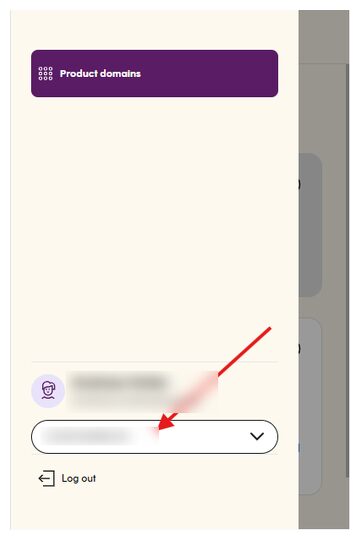
To log in to the Aera Portal, enter your phone number with the country code, for example +47. Then check that you're in the right customer's domain before you change anything.
In the store
- The AIC (Aera Integration Component) is installed and running on the ECR or on a server in the store. See Install on-premise AIC.
- The ECR has a stable internet connection.
- You have the right cable for the ECR: Ethernet or USB.
- For Ethernet, the store's firewall lets terminal traffic through. See Network requirements.
- You and the merchant agree on how and where to mount the terminals.
Security seal
Never install a terminal with a broken sealThe P2PE security standard requires an unbroken seal on the terminal box until the terminal is in the store for installation. If the seal on the box is broken, don't install the terminal.
Terminals you send back to Aera for repair don't need a seal, but you must deactivate them in the Aera Portal first.
Words you'll see
| Term | Meaning |
|---|---|
| Terminal ID (TID) | A unique ID with a set configuration that controls how the terminal takes payments |
| RMA | The return form you fill in when you send a terminal back |
| Service terminal | A terminal kept in stock to replace faulty ones |
| Deployment tag | A tag (POS1 to POS5) that links a terminal to a cash register |
Updated 10 days ago
Did this page help you?