
User Activity
The Activity tab gives administrators a complete audit trail of what users do in the Aera Merchant Portal. Every key action is logged with who did it, when, and from where, so merchants can track changes, investigate issues, and meet compliance requirements.
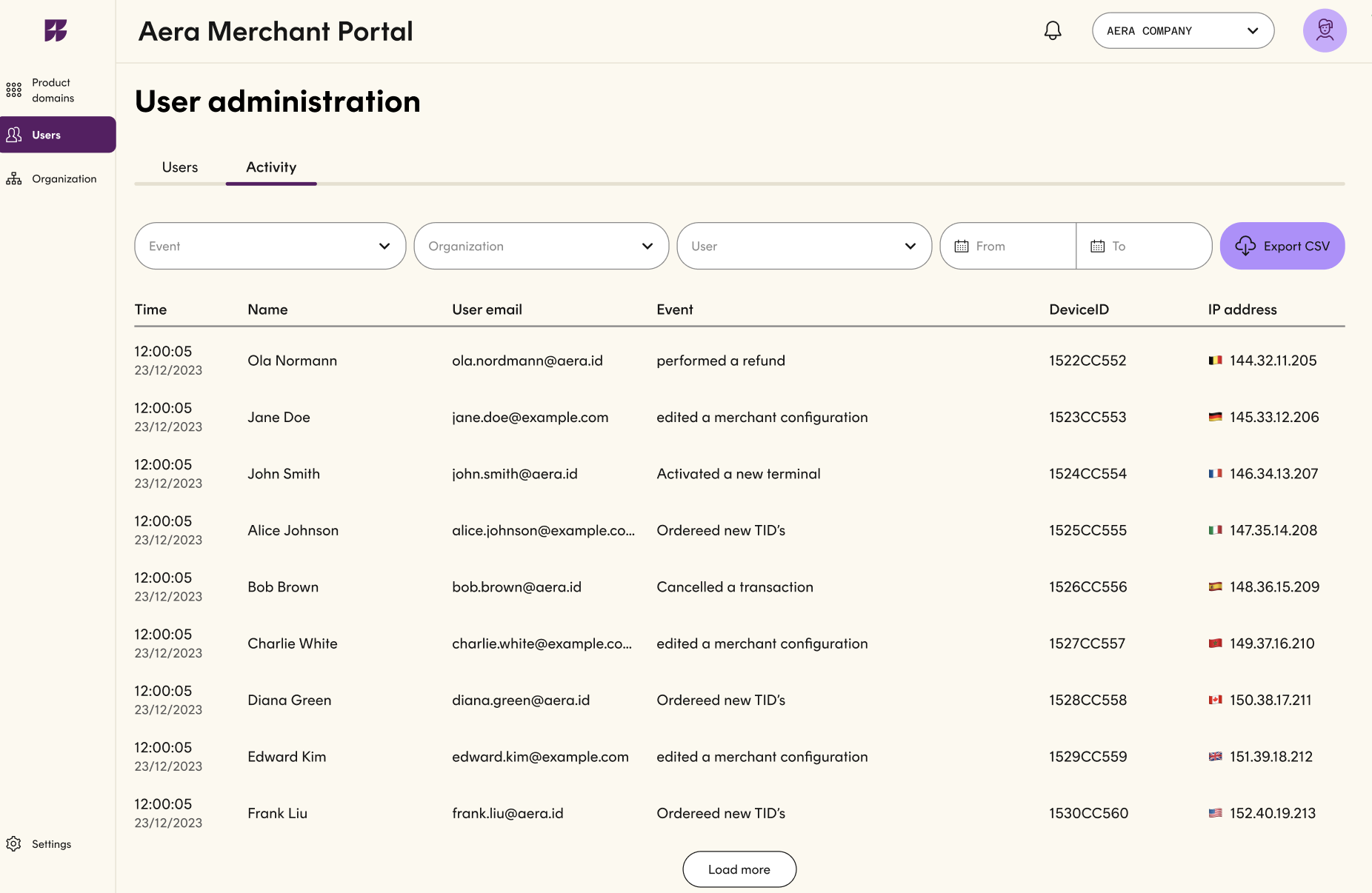
Each entry shows:
- Time: when the action happened, to the second.
- Name and user email: who performed the action.
- Event: what they did, such as performing a refund, editing a merchant configuration, activating a terminal, ordering new TIDs, or cancelling a transaction.
- Device ID: the device the action was performed from.
- IP address: the source IP, with a country flag for quick location reference.
Administrators can filter the log by event type, organization, user, and date range to find specific activity fast. The filtered results can be exported as a CSV for reporting, audits, or sharing with internal teams.
Activity details
Click any row in the activity log to open the full details of that event in a side panel. The panel adds context that doesn't fit in the table, so you can understand exactly what happened without leaving the page.
The details are grouped into three sections:
- User and session: time of the event (with time zone), the user's name and email, device ID, IP address and location, browser, operating system, and device type.
- Organization: the organization the user was acting on behalf of.
- Event description: event-specific information. For a report export, this includes the report ID, file name, and report type. Other events show the details relevant to them, such as the transaction or configuration affected.
This gives admins and compliance teams a full picture of each action: who did it, from where, on which device, and what exactly was changed or accessed.
Updated 6 days ago